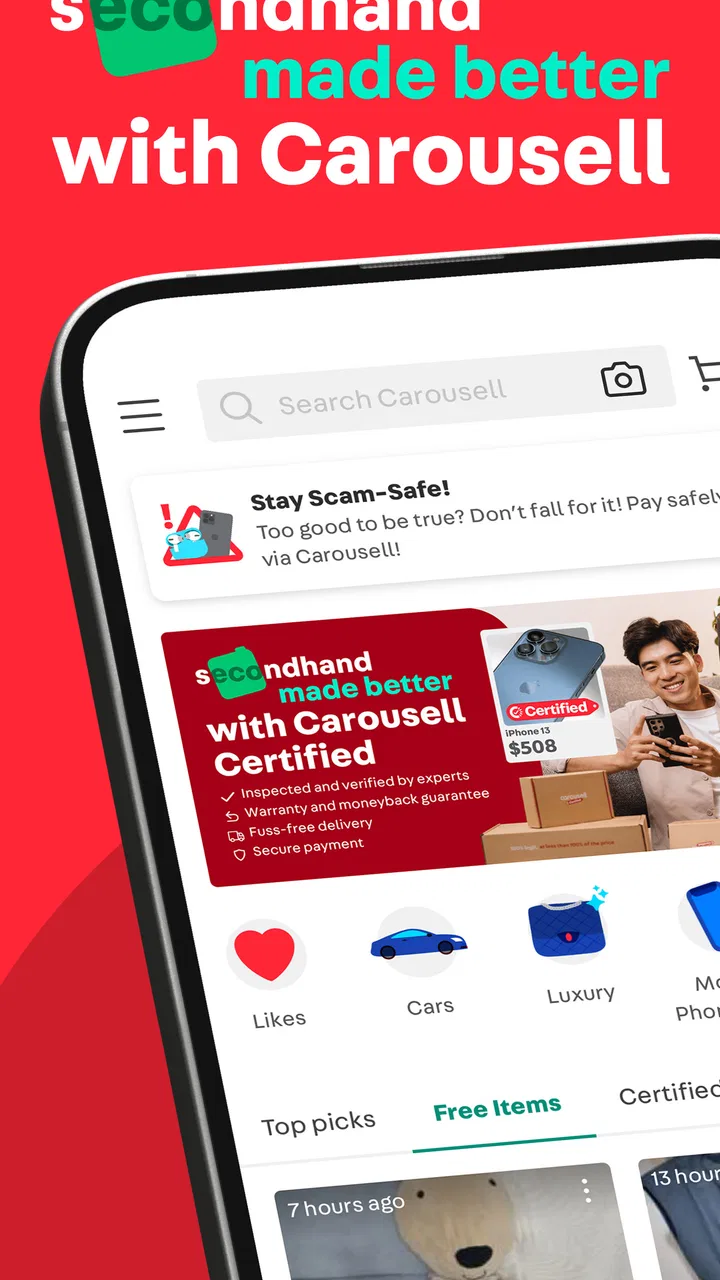
Carousell: Sell and Buy
- 4.1
- Rating
- 10.00M
- Installs
- Free
- Price

 Analysis by App-foxy
I approached Carousell: Sell and Buy as a practical shopping app rather than a polished online department store. Its appeal is the direct connection between people who have something to sell and people looking for a particular item, whether that means fashion, luxury goods, electronics, home services, cars, or houses. That range makes it useful, but it also means the quality of the experience depends heavily on how carefully I search, communicate, and check what I am buying.
Developed by Carousell, this free shopping app has grown into a large marketplace, with over 10 million installs and a 4.1 average from around 374 thousand ratings. Those figures suggest that it is established enough to attract a broad mix of buyers and sellers, although popularity should not be confused with a guarantee that every listing or conversation will be reliable. I found the app most rewarding when I treated it as a tool for careful discovery, not as a shortcut that removes the normal risks of second-hand shopping.
How trust works when every listing needs your judgment
The central difference between Carousell and a conventional retailer is responsibility. In a normal store, the product range, checkout process, returns, and customer support usually follow one consistent system. Here, listings can vary widely in detail, condition, pricing, and communication style. That flexibility is exactly why I can find unusual items or negotiate with an individual seller, but it also means I need to inspect each offer rather than assume that the marketplace has made the decision safe for me.
You May Also Like

 Blood Strike: 2.5 Anniversary
Blood Strike’s Loadouts Turn Every Drop Into a Tactical Gamble
A close look at Blood Strike’s custom loadouts: how fast access to signature weapons reshapes its battle royale rhythm, rewards preparation, and narrows the gap between fights.

 Pandora - Music & Podcasts
Pandora’s Music Is Easy to Start, but Harder to Recover
Pandora’s strength is its low-effort path from a seed to a station. Its weak spot is how much confidence it asks you to place in connection, setup, and quiet recovery.

 8 Ball Pool
 Is Built on Rivalries, Rematches, and Routine
A close look at the rivalries, rematches, shared routines, and unanswered safety questions that turn a quick pool match into a persistent mobile community.

 Samsung Music
’s Quiet Strength Is Playing What You Already Own
Its reach comes less from spectacle than from dependable access to a personal library. That simplicity is both the app’s strongest retention engine and its ceiling.

 AccuWeather: Weather Radar
AccuWeather Review: A Quick, Clear Forecast for Everyday Decisions
For everyday plans, the best forecast is the one you can understand quickly. AccuWeather makes rain timing, radar, and local conditions easy to act on, with a few trade-offs.

 Hill Climb Racing
Why Hill Climb Racing Still Turns Crashes Into One More Run
A tiny car, a bumpy hill and one more upgrade: Hill Climb Racing keeps resurfacing because its simple chaos makes every near-miss feel personal.
More From Our News Desk
View All News


I would describe the app as especially useful for local discovery and comparison. Searching across categories can reveal pre-owned items, services, and larger purchases that are not easy to browse in one place elsewhere. At the same time, a listing that looks attractive at first glance may still require questions about measurements, defects, ownership, availability, delivery, or collection. The app can bring the two sides together, but it cannot replace sensible checking before money or personal information changes hands.
That is why I paid attention to the small choices available during a browsing session. A good marketplace experience is not only about how many listings appear. It is also about whether I can slow down, compare alternatives, decide what to share, and leave a conversation when the arrangement no longer feels right. Carousell works best when I use those choices deliberately instead of rushing because an item seems scarce or unusually cheap.
The Teen content rating is worth keeping in mind for households. I would not treat that label as a substitute for supervision or good online habits, especially when the app can involve direct contact with strangers, high-value products, vehicles, property, and services. A younger user may need an adult to help verify a seller, understand payment arrangements, and decide whether a meeting or purchase is sensible.
What I check before trusting a listing
My first step is to read the entire listing before sending a message. Photos can attract attention, but the written details often reveal whether the seller has thought carefully about the item. I look for a clear description of condition, what is included, any visible damage, and whether the asking price applies to the exact item shown. If important information is vague, I ask a focused question instead of making assumptions.
A useful habit is to keep a short checklist for expensive purchases. For electronics, I would ask about working condition, accessories, faults, and whether the photos show the actual unit. For clothing or luxury items, measurements, wear, authenticity-related documentation, and close-up images matter more than a broad label. For cars or houses, the app should be treated as a starting point for research and contact, not as proof that a major transaction is ready to complete.
I also compare several similar listings before responding. This gives me a better sense of whether a price is plausible and helps me notice descriptions that are unusually incomplete. Comparing does not prove that one seller is honest, but it reduces the chance that I will accept the first attractive offer without understanding the market around it.
One practical trick is to write down the questions I need answered before opening a chat. That keeps the conversation focused and creates a clearer record of what was discussed. If the replies avoid basic questions, change important terms, or pressure me to move immediately, I take that as a reason to pause. I would rather lose an item than let urgency make the decision for me.
Account choices and the information I decide to share
Marketplace apps naturally involve personal interaction, so I think about privacy before I publish or message. A seller may need enough information to describe an item and arrange a handover, while a buyer may need to explain delivery preferences or ask where collection is possible. That does not mean every conversation needs my full address, extra identity details, or information unrelated to the transaction.
I prefer to share only what is necessary at each stage. Early questions can usually stay general. If a purchase progresses, I can agree on practical arrangements later, once I have decided that the listing and the other person are worth pursuing. This staged approach gives me more control than placing every detail in an initial message or public listing.
For sellers, the same principle applies to photos. I would inspect images for documents, labels, addresses, phone numbers, or reflections that reveal more than intended. A picture of a product can be useful without exposing private paperwork or the exact layout of a home. This is an easy detail to overlook when the goal is simply to make a listing look convincing.
Carousell’s free price makes trying the marketplace straightforward, but the app also includes in-app purchases ranging from $0.99 to $439.99 per item. I would review any purchase prompt carefully and make sure I understand what I am paying for before confirming it. The important point is to separate the cost of using optional app functions from the price of an item arranged through a marketplace conversation. They are not necessarily the same thing, and I would not assume that an in-app charge settles the underlying transaction.
Where data-sensitive moments appear in everyday use
The most sensitive moments are not limited to account creation. They can appear when I search for a location-specific item, contact a seller, upload photos, discuss delivery, or arrange a meeting. Each action can reveal context about what I want, where I may be located, or how urgently I need something. I try to keep that context narrow and relevant rather than turning a simple purchase into a complete personal profile.
Before posting an item, I review the description as if I were a stranger reading it. Does it reveal when I am usually away from home? Does a photo show a building entrance, a school route, a work badge, or a document? Could someone combine several details to identify me? Removing unnecessary clues does not make a listing less useful; it simply makes the public part of the transaction more controlled.
When browsing, I also avoid treating personalized results as recommendations I must follow. A marketplace can help me discover items, but I remain responsible for deciding how much attention to give a listing. If I am only researching prices, I do not need to message every seller or reveal more information than necessary. That distinction is helpful for anyone who wants to explore the market without creating avoidable conversations.
I would be especially careful with high-value categories. A luxury item, vehicle, or property can involve more documentation, negotiation, and personal exposure than an inexpensive household object. The app can be a useful first contact, but I would move slowly, verify details independently where appropriate, and avoid sending sensitive documents simply because someone requests them in a chat.
A realistic way I would use it
Imagine I need a replacement phone but want to spend less than I would at a standard retailer. I would search several listings, compare the condition and included accessories, and note whether the photos appear to show the actual device. Before arranging anything, I would ask direct questions about faults, battery behavior, and what comes with the phone. I would keep the conversation inside the app for as long as practical and avoid sending unnecessary personal details.
If the seller answers clearly, I would compare the offer with other choices rather than letting a low price end the research. I would also decide in advance what condition would make me walk away. That boundary matters because face-to-face negotiations can create pressure, especially when I have already spent time traveling to meet someone. A clear plan makes it easier to say no if the item does not match the description.
The same workflow changes for a sofa or a service. Size, access, timing, collection, and extra costs may matter more than the headline price. For a home service, I would ask what the quoted work includes and what could create an additional charge. For a large item, I would confirm dimensions and collection requirements before arranging transport. These questions are not unnecessary caution; they prevent a cheap listing from becoming an expensive inconvenience.
Where the app is stronger than familiar alternatives
Compared with buying new from a retailer, Carousell gives me access to a more varied supply of pre-owned goods and direct negotiation. That can be a real advantage when I want an older model, a discontinued style, a specialized accessory, or a price below standard retail. The trade-off is that I may receive less consistent information and less predictable after-sales support than I would from a conventional store.
Compared with a general social-media post, a dedicated shopping marketplace gives the activity a clearer purpose. I can browse categories built around buying and selling instead of relying only on personal contacts or scattered community posts. That makes discovery more efficient for me, particularly when I am searching beyond my immediate circle. Still, the marketplace setting does not remove the need to judge the individual seller or the item.
Compared with a highly structured auction or retail platform, the experience can feel more conversational and flexible. That is useful when I want to ask questions or negotiate, but it may feel less convenient if I prefer fixed prices, standardized product descriptions, formal returns, and a single organization responsible for resolving every issue. In that situation, a conventional retailer or a more tightly managed marketplace may suit me better.
I would skip Carousell when I need guaranteed authenticity, a simple return process, or a tightly controlled delivery experience. It is also not my first choice for a purchase that I cannot inspect or verify and that would be financially painful if something went wrong. The app is better for people willing to participate in the checking process than for anyone who wants every risk handled automatically.
Small habits that make the marketplace easier to manage
I keep promising conversations separate in my mind from completed purchases. A friendly reply is not the same as a verified item, and an attractive photo is not the same as a satisfactory inspection. This sounds obvious, but separating interest from commitment helps me avoid making decisions based on momentum.
I also save the key terms of an arrangement before meeting or paying. That can include the agreed item, condition, included parts, price, collection or delivery plan, and any deadline. If the details change at the last moment, I can compare the new request with what I originally accepted. I do not rely on memory when the transaction matters.
For sellers, accurate expectations are just as important. I would photograph flaws honestly, state whether the price is firm, and avoid promising availability that I cannot maintain. Clear listings reduce repetitive questions and attract buyers who are more likely to understand the item. They also make it easier for me to recognize serious interest instead of spending time with people who have not read the description.
Notifications and account activity deserve occasional attention too. I would review what I have posted, remove listings that are no longer available, and avoid leaving old contact details visible longer than needed. A tidy account is easier to manage and reduces the chance that someone responds to an outdated offer. I would also be cautious with unexpected messages, payment requests, or instructions that try to move me into an unfamiliar process before the deal is clear.
Performance, version, and the practical cost of convenience
The current version is 2.442.8, and the app requires Android 8.0 or later. For someone using an older phone, compatibility is the first practical check before planning to rely on it. On a supported device, the more important question is whether the browsing and messaging workflow fits the way I shop. The app is most useful when I am willing to search, compare, ask, and follow through rather than expecting an instant purchase.
Because the service covers everything from fashion to property, the experience can feel broad rather than perfectly specialized. A person searching only for one type of product may prefer a focused app with deeper filters or more standardized listings. Carousell’s range is valuable when I want one place to explore different kinds of offers, but that breadth can also mean more time spent separating genuinely relevant results from casual or incomplete listings.
The free entry point is a clear advantage for occasional users. I can test whether local listings are useful without committing to a subscription. However, free access does not make the transaction effortless. My time spent checking descriptions, asking questions, arranging collection, and deciding whether a seller is credible is part of the real cost. For me, that effort is worthwhile for distinctive or discounted items, but less attractive when the price difference from a reliable retailer is small.
Who should use it, and who should be cautious?
I recommend Carousell to patient bargain hunters, people clearing out unwanted belongings, and shoppers who enjoy comparing unusual listings. It can also suit someone looking for a local service or a large item where direct communication is useful. The app is particularly appealing when flexibility matters more than a perfectly standardized checkout.
I would be more cautious about recommending it to someone who dislikes negotiation, needs guaranteed delivery, or expects a simple return whenever a purchase does not work out. It may also be a poor fit for users who tend to respond impulsively to scarcity or very low prices. The marketplace rewards attention and restraint, so anyone who knows that pressure affects their judgment should use firm personal rules or choose a more controlled shopping channel.
Families should discuss safe communication and meeting habits before a younger person uses it independently. The Teen rating indicates that the app is intended for a teen audience, but a rating does not answer practical questions about who should be contacted, what information is appropriate to share, or how a transaction should be completed. I would involve a trusted adult for expensive purchases, unfamiliar services, and any in-person arrangement that feels uncertain.
My cautious verdict after weighing the trade-offs
Carousell succeeds because it makes direct buying and selling feel accessible across a surprisingly wide set of categories. I like the freedom to compare pre-owned goods, ask questions, negotiate, and discover items that a standard retailer may not carry. The developer’s large user base gives the marketplace useful reach, but reach alone cannot guarantee a good outcome for every listing.
My trust in the app depends less on assuming that the platform has solved everything and more on the controls I use as a participant: limiting what I share, reading before responding, keeping terms clear, checking expensive purchases carefully, and walking away when the conversation becomes pressured. Those habits are not optional extras in this kind of marketplace; they are part of using it well.
After considering the balance, I would recommend it for everyday second-hand shopping and local discovery when I have time to verify what I am seeing. I would not use it as my only safeguard for luxury goods, vehicles, property, or sensitive services. For those purchases, I would treat a listing as an introduction and continue with appropriate independent checks.
My bottom line is simple: Carousell is worthwhile when you want choice and flexibility, but its best feature is the control it gives a careful user—not the promise of a risk-free transaction. The free app is easy to try, carries a Teen age rating, and has a 4.1 average from around 374 thousand ratings, yet the final quality of each deal still depends on the questions I ask and the boundaries I keep.
FAQs for Carousell: Sell and Buy
01What is Carousell and how does it work?
Carousell is a user-friendly app designed for buying and selling a wide variety of products. Users can create listings by uploading photos and descriptions of items they want to sell. Buyers can browse categories, search for items, and communicate directly with sellers. The app streamlines the process, making transactions simple and efficient.
02Is Carousell safe to use for buying and selling?
Carousell implements several safety features, including user ratings and reviews, to help ensure a secure trading environment. However, like any online marketplace, users should exercise caution. It's advisable to meet in public places for exchanges and use secure payment methods to minimize risks. Always check seller ratings and feedback before proceeding with a purchase.
03What types of products can I sell on Carousell?
Carousell supports a wide range of product categories, including electronics, fashion items, home goods, and even vehicles. The platform is versatile, allowing users to list both new and second-hand items. However, it’s important to check Carousell’s guidelines to ensure that your item complies with their terms and conditions before listing.
04Are there any fees associated with using Carousell?
Listing items on Carousell is generally free, making it an attractive option for sellers. However, there are optional paid features such as promotional tools to increase visibility for your listings. These premium features are not required, but they can enhance the selling experience by reaching a wider audience.
05How does Carousell handle disputes between buyers and sellers?
Carousell provides a resolution center where users can report issues and seek assistance in resolving disputes. While they offer guidance and support, the platform encourages users to communicate directly to address any problems. It’s crucial to keep a record of communications and transactions to facilitate dispute resolution if needed.
Pros
- User-friendly interface for easy navigation.
- Wide variety of items available for sale.
- Localized buying and selling options.
- In-app chat for quick communication.
- Secure payment methods integrated.
Cons
- Limited global coverage outside Asia.
- Seller verification could be improved.
- Occasional app crashes reported.
- Ads can be intrusive to some users.
- Limited customer support options.

Carousell: Sell and Buy
Gallery